
Clarity for the whole school.
Connected school operations
Your whole school.
One connected view.
Bring the school day into focus.
Admissions, attendance, teaching and reporting, together. AveEdu helps your team see what is happening and where attention is needed.
Watch the product demonstrationYOUR SCHOOL, CONNECTED
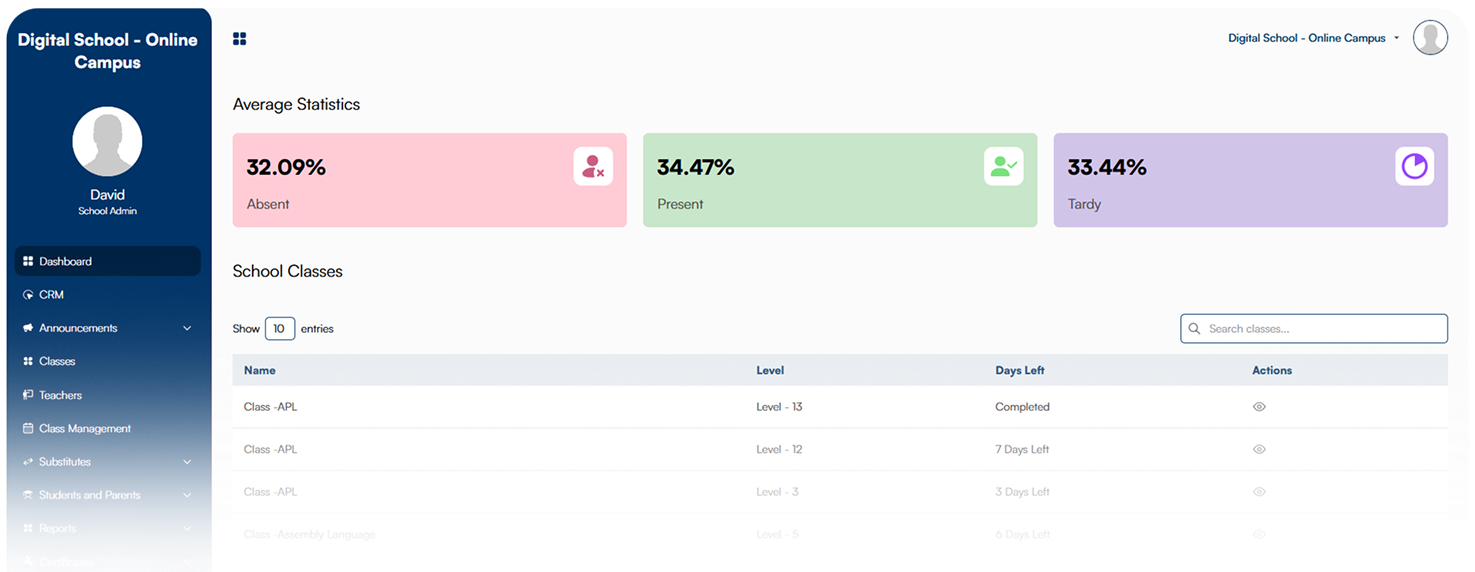
See the school day.
- Admissions
- 18
- Applications in progress
- Classes
- 12
- In the school overview
- Follow-up
- 3
- For the team to review
Attendance · Grades · Engagement
A pattern worth a closer look.
Review the recent absences. Ask the teacher for context. Agree the next conversation.
- For school leaders.
- For the people who run the day.
- For the teachers who make it matter.
The work behind a great school
Every record has a reason.
Every signal has a next step.
The useful question is what happens next: who reviews the application, which class needs attention, and what the teacher needs to know.
- 01 / Admissions
A clear route from
enquiry to enrolment.Move applications through stages, with notes, sources and a responsible team member.
- New
- Documents
- Interview
- Enrolled
Illustrative admissions journey
- 02 / Class health
See the pattern
behind the numbers.AI brings attendance, grades and engagement into a class-health view, highlighting patterns for staff review.
- Attendance
- Grades
- Engagement
One connected picture
- 03 / Reporting
From school-wide view
to the detail you need.Explore dashboards by grade, subject or teacher, then export the information your team needs.
- GradeAll grades
- SubjectMathematics
- TeacherAll teachers
- 04 / Teaching
Keep the admin close.
Keep teaching closer.Bring the gradebook, attendance and parent communication into the teacher’s workflow.
- Record the lesson’s attendance
- Review learning progress
- Keep the next conversation informed
AI class health + attendance patterns
Spot the pattern.
Start the conversation.
An alert opens a question. The school team brings the context and decides how to help.
- 01
Notice a change.
Attendance-pattern alerts draw attention to learners who may need support.
Example: a change in attendance - 02
Understand the context.
Ask the teacher what has changed. Review the relevant class information before deciding what the signal means.
Review with the class teacher - 03
Make the next step personal.
Agree who will speak with the learner or family, what support to offer, and when to check in again.
A conversation, with a clear owner
Illustrative staff workflow · school staff review signals and make support decisions.
One school. Different responsibilities.
Useful to the person
doing the work.
Build the walkthrough around the people who will use AveEdu. Open a role to explore a practical starting point.
Start with the overview. Choose the next question.
In your walkthrough, follow a school-wide question down to a class: what changed, what needs a closer look, and who can explain the context?
Bring to the demo: a report you rely on and the question it needs to answer.
Make the handover easy to follow.
Walk one enquiry through your school’s stages. Agree what information is needed at each point and who takes responsibility for the next step.
Bring to the demo: your admissions stages and the handover that takes the most chasing.
Begin with a real teaching day.
Choose a class and the tasks around its lesson. Review what the teacher needs before class, what gets recorded afterward and what deserves a conversation.
Bring to the demo: one routine you would like to simplify.
See the product
From the story
to the school view.
Watch the existing school-operations demonstration, then explore your own workflows with our team.
Part of the Ave education family
A school doesn’t stop
at its operations.
Connect the school experience with learning, family communication, coding and play. We plan the relevant products and connections around your school.
- 01 The learning connection
Ave Learn
Bring Ave Learn courses, assignments and feedback into your school workflow.
- 02 The family connection
AveParents
Give families a dedicated place to stay connected with school life.
- 03 The conversation connection
AveHello
Support school enquiries across WhatsApp Business, Facebook, Instagram, SMS and your website.
- 04 The learning adventure
Ave EdPlay
Connect the lesson with personalized game assignments, tournaments and community.
- 05 The builder’s toolkit
AveCode
Create coding lessons with AI and personalize block-based learning with teacher guidance.
From your school’s reality to a working setup
Make it fit the way
your school works.
Start with the people, records and routines already in place. We agree the setup, check the connections and help the team put it to use.
- 01
Define the starting point.
Choose the first workflow, user roles and records to bring across.
- 02
Configure and check.
Map the stages and connections. Walk through the result with the people responsible.
- 03
Train, launch and support.
Make time for staff practice, a clear handover and an agreed support contact.
AveEdu for your school
Bring one school-day challenge.
Let’s make it clearer.
Show us the task that takes too much chasing. We’ll walk through how AveEdu can help your team handle it.
Diagnose → Design → Implement → Train → Support